Vibe Reads
- 2.9
- Rating
- 10.00K
- Installs
- Free
- Price

 Analysis by App-foxy
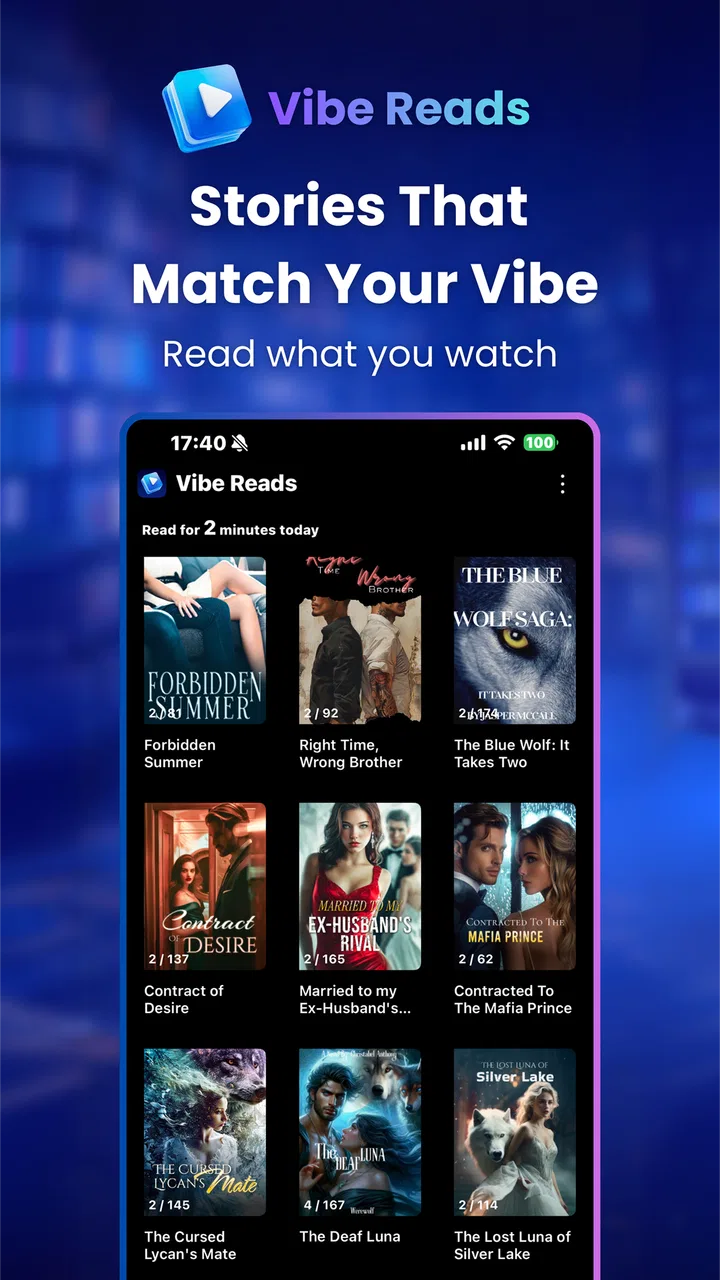
Vibe Reads is a free Books & Reference app from neustar that combines novels with AI-generated reels. I approached it as a quick-reading companion rather than a replacement for a full ebook library, and that distinction matters. The idea is appealing: instead of opening a long novel when I only have a few spare minutes, I can use short visual content to discover or revisit stories in a more immediate format.
My overall impression is mixed but interested. The app has a clear modern angle, especially for readers who are comfortable moving between written fiction and short-form video. At the same time, its modest average rating of 2.9 from around thirty ratings suggests that the experience may not feel equally polished for everyone. I would treat it as an app worth trying at no upfront cost, not as an automatic recommendation for every reader.
How the reading-and-reel idea works in everyday use
The most useful way to think about Vibe Reads is as a discovery layer for fiction. Traditional reading apps usually ask me to choose a book, settle into a page view, and commit attention for a while. A reels-focused approach changes that rhythm. It is better suited to browsing moods, sampling story ideas, and deciding whether a particular novel deserves more of my time.
You May Also Like

 Blood Strike: 2.5 Anniversary
Blood Strike’s Loadouts Turn Every Drop Into a Tactical Gamble
A close look at Blood Strike’s custom loadouts: how fast access to signature weapons reshapes its battle royale rhythm, rewards preparation, and narrows the gap between fights.

 Pandora - Music & Podcasts
Pandora’s Music Is Easy to Start, but Harder to Recover
Pandora’s strength is its low-effort path from a seed to a station. Its weak spot is how much confidence it asks you to place in connection, setup, and quiet recovery.

 8 Ball Pool
8 Ball Pool Is Built on Rivalries, Rematches, and Routine
A close look at the rivalries, rematches, shared routines, and unanswered safety questions that turn a quick pool match into a persistent mobile community.

 Samsung Music
Samsung Music’s Quiet Strength Is Playing What You Already Own
Its reach comes less from spectacle than from dependable access to a personal library. That simplicity is both the app’s strongest retention engine and its ceiling.

 AccuWeather: Weather Radar
AccuWeather Review: A Quick, Clear Forecast for Everyday Decisions
For everyday plans, the best forecast is the one you can understand quickly. AccuWeather makes rain timing, radar, and local conditions easy to act on, with a few trade-offs.

 Hill Climb Racing
Why Hill Climb Racing Still Turns Crashes Into One More Run
A tiny car, a bumpy hill and one more upgrade: Hill Climb Racing keeps resurfacing because its simple chaos makes every near-miss feel personal.
More From Our News Desk
View All News


That makes it particularly relevant during small gaps in the day. Imagine waiting for a friend at a café with only a few minutes available. Opening a conventional ebook can feel like starting a task, while a short reel can provide a lighter entry point. If one story catches my attention, I can then move from quick visual discovery toward longer reading. That transition is the app’s most interesting promise.
I also see a practical use for readers who often abandon books because they choose by title or cover alone. Short-form presentation can help establish tone before making that commitment. A dramatic story, a light romance, or a darker mature work can create very different expectations, and a visual preview may communicate mood faster than a paragraph-long description.
However, reels can also encourage restless browsing. The same format that lowers the barrier to discovering a novel can make it harder to remain with one. If I am already prone to jumping between short videos, an app built around AI reels may reinforce that habit instead of helping me read more deeply. The value depends heavily on whether I use the reels as a doorway into books or as an endless destination by themselves.
What “free” means for the decision
The app itself is free to install, which makes experimentation straightforward. I do not need to make a purchase simply to find out whether the combination of novels and AI reels fits my habits. That is important here because the concept is more specialized than a standard reading app; trying it briefly is more sensible than judging it from the store summary alone.
There are in-app purchases ranging from $0.99 to $129.99 per item. Those figures make it especially important to separate free access from paid value. A free download does not mean every desirable part of the experience is free, and the wide purchase range means I would check the price of any specific item carefully before confirming it. I would not assume that a higher-priced purchase automatically represents better reading value.
For me, the right approach would be to begin without spending anything, learn which parts are genuinely useful, and only then consider a purchase that solves a clear problem. If I mainly want occasional story discovery, free access may be enough. If I expect a large, dependable library or a complete reading service, I would compare the paid options with established ebook platforms before committing.
The app carries a Mature 17+ content rating, so I would not recommend treating it as a general family reading tool. That rating should influence where and for whom it is installed, particularly on shared devices. Adult readers looking for fiction discovery may find the positioning appropriate, but parents searching for a child-friendly novels app should choose something else.
Where the app can deliver real value
The strongest value is convenience at the discovery stage. Vibe Reads can make the first step toward a novel feel less demanding than browsing a conventional catalog. I can imagine using it when I know I want fiction but do not yet know what kind. The reel format gives me a faster way to react to atmosphere, subject matter, and presentation.
It may also help readers who find long descriptions tiring. A written synopsis can be useful, but it often leaves the emotional tone vague. A short visual treatment can make a story feel more immediate. That does not replace reading a sample or checking whether the writing itself is good, but it can improve the first filtering step.
Another non-obvious strength is the potential separation between browsing time and reading time. I can use a few reels to build a small mental shortlist, then return to the novel that genuinely interested me when I have a quieter moment. This is more efficient than opening random books repeatedly and abandoning them after a page or two. The trick is to keep the shortlist small; otherwise discovery becomes procrastination.
AI-generated presentation can also be useful for readers who respond strongly to visual cues. Some people decide what to read through genre labels and reviews, while others need a sense of scene and mood. For that second group, reels may communicate the emotional direction of a story more quickly than a traditional list view.
Still, I would judge the value by the quality of the transition into the actual novel. If the reel is engaging but the reading experience feels secondary, then the app becomes another entertainment feed rather than a serious reference and reading tool. The concept succeeds only when the short format supports longer-form fiction instead of replacing it.
Important tradeoffs before installing
The first tradeoff is attention. Reels are naturally efficient at capturing a few seconds of interest, but reading a novel requires sustained concentration. I would use Vibe Reads with a specific intention, such as finding one story to read later, rather than opening it whenever I want an unstructured feed.
The second is uncertainty around paid value. Because purchases can reach a substantial amount per item, I would avoid buying impulsively from an appealing preview. A reel can make a story look attractive without proving that the complete reading experience will justify the cost. The safest workflow is to identify exactly what the purchase unlocks, decide whether it is a complete item or an optional enhancement, and compare that value with other reading services.
The third tradeoff concerns maturity. The 17+ rating means the app is not appropriate for younger readers, even though its books-and-reference classification might initially sound broad. The category should not be mistaken for a guarantee of educational or family-safe material.
There is also a trust issue that comes with any AI-assisted presentation. Visual or narrative emphasis can shape my expectations before I reach the text. I would treat the reel as an introduction, not as a reliable substitute for the book’s own description, sample pages, or reader feedback. This is one reason I would avoid making a purchase based on a single striking clip.
The current version is 1.0.8, and the app was released on June 3, 2026. That places it in a relatively early stage of its product life, so I would expect the experience to be judged more by its present usability than by the promise of what it might become. Early adopters may enjoy being among the first to explore the format, while readers who want a deeply established catalog may prefer a mature alternative.
How it compares with familiar reading options
Compared with a standard ebook reader, Vibe Reads appears more focused on discovery and visual engagement than on creating a quiet, distraction-free reading environment. A dedicated reader remains the better choice when I already know the book I want and simply need comfortable pages, reliable organization, and uninterrupted concentration.
Compared with a conventional digital library or book catalog, its distinctive appeal is the reel-based presentation. Catalogs are usually better for precise searching by author, title, or subject. Vibe Reads is more interesting when I want to browse by feeling and see whether a story catches my attention quickly.
Compared with short-video entertainment apps, the reading connection is its reason to exist. The important question is whether the reels lead me toward novels rather than keeping me in passive scrolling mode. Someone who wants pure entertainment may find a general video platform more familiar, while someone who wants to discover fiction may appreciate the narrower purpose here.
These comparisons also explain why I would not recommend replacing every reading tool with this one. It is not an obvious all-purpose library, nor would I choose it first for serious study, reference work, or a child’s reading routine. Its best position is alongside a normal reading app: use Vibe Reads to discover, then use the tool that is strongest for sustained reading when I have made my choice.
Who is most likely to get value from it?
I think the app is best suited to adult readers who enjoy short-form media but still want a path toward novels. It may work well for someone who frequently says, “I want to read, but I do not know what to start.” The visual format reduces the friction of that first decision and can make browsing feel more personal than scanning a long list.
It is also a reasonable experiment for casual readers with irregular schedules. A commuter, a student between appointments, or anyone with scattered free time may appreciate being able to explore a story in small pieces before setting aside a longer session. The app does not need to become a daily habit to be useful; it can function as a lightweight source of reading ideas.
I would be more cautious for dedicated readers who already have a carefully organized ebook collection. If I know exactly what I want, reels may add an unnecessary layer between me and the book. Likewise, readers who dislike algorithmic or AI-shaped recommendations may prefer a library catalog, bookseller search, or human-curated reading list.
It is not the right choice for younger users because of the Mature 17+ rating. I would also skip it if my main goal is academic reference, detailed note-taking, or a distraction-free long reading session. The Books & Reference category describes its broad purpose, but the novel-and-reel combination gives it a narrower practical audience than that label alone suggests.
My practical way to test it
I would begin by using the app during one clearly defined session rather than allowing it to fill every idle moment. I would browse a limited number of reels, note which stories genuinely interest me, and then see whether I feel motivated to read beyond the preview. That simple test reveals whether the app is helping me choose books or merely offering another stream of short content.
Next, I would check the reading path before spending money. I would look at the exact item attached to any purchase, consider whether I want that story beyond its reel, and keep the price visible in my decision. With purchases extending from $0.99 to $129.99 per item, a deliberate pause is sensible even when the initial installation costs nothing.
I would also compare the same reading goal with my usual alternative. If I want a known title, I would open my regular ebook source and compare the effort. If I want an unexpected recommendation, I would give Vibe Reads the advantage and see whether its presentation produces better discoveries. This makes the app earn its place instead of becoming another unused icon.
One useful habit would be to treat each appealing reel as a prompt for a later reading session. I would save the title mentally or through whatever organization the app makes available, then close the browsing loop. The point is to convert visual interest into actual reading. Without that step, the most distinctive feature can become the main distraction.
My verdict on value
Vibe Reads is worth trying for adult readers who want an inexpensive way to explore novels through AI-assisted reels. Its free entry lowers the risk, and its format addresses a real problem: choosing a story when I have limited time or no clear idea what mood I want. The app feels more promising as a discovery companion than as a complete replacement for established ebook tools.
I would not spend heavily before understanding the purchase structure and confirming that the full reading experience matches what the previews suggest. The maximum listed purchase price is high enough that careful comparison is essential, especially when a conventional library or ebook service may serve a known reading goal more directly.
My recommendation is therefore conditional but positive: try it free if you are an adult reader who enjoys visual browsing and wants new fiction ideas. Keep your expectations focused on discovery, watch your attention, and make paid decisions slowly. If you want quiet, deep reading, family-safe content, or a proven all-purpose digital library, I would skip it in favor of a more traditional alternative.
The best reason to install Vibe Reads is not that it makes every reading task easier; it is that it offers a different doorway into fiction. For the right reader, that doorway may be enough to turn spare minutes into a promising next book. For everyone else, the reels may feel like an extra step between browsing and reading.
FAQs for Vibe Reads
01What is Vibe Reads, and what can I do with it?
Vibe Reads is a reading-focused app designed to help users discover and enjoy books that match their interests, mood, or preferred reading style. After exploring the app, users can typically browse recommendations, review book information, save interesting titles, and organize their reading choices. Its appeal is mainly in making book discovery feel more personal and less overwhelming than searching through a large catalog manually.
02Is Vibe Reads free to download and use?
Vibe Reads may be available to download at no initial cost, but users should check the current store listing for details about premium features, subscriptions, advertisements, or optional in-app purchases. Some reading apps provide basic discovery tools for free while reserving advanced recommendations, expanded content, or additional personalization options for paying users. Always review the pricing information before confirming a subscription.
03Does Vibe Reads provide complete books for reading inside the app?
The availability of full books depends on the app’s current content library, licensing agreements, and the specific title you select. Vibe Reads may focus primarily on discovering, recommending, or organizing books rather than replacing a dedicated ebook reader. Before downloading, users who expect unlimited in-app reading should verify whether complete titles are included, linked to another service, or available only through a separate purchase.
04Can I use Vibe Reads to find books suited to my mood or interests?
Personalized discovery is one of the main reasons to try Vibe Reads. The app is intended to help users move beyond generic bestseller lists by presenting suggestions based on genres, themes, reading preferences, or mood-related choices. Results can improve when you interact with recommendations and provide more information about your tastes, although suggestions may not always be perfectly accurate.
05What should I check before downloading Vibe Reads?
Before installing Vibe Reads, check whether your Android or iOS version is supported, how much storage the app requires, and whether an account is necessary. It is also worth reviewing the privacy policy to understand what reading preferences or personal information may be collected. Finally, confirm recent user reviews, subscription terms, offline functionality, and whether the app is available in your country.
Pros
- Clean
- distraction-free interface makes browsing and reading feel comfortable.
- Personalized recommendations help users discover books matching their interests.
- Reading progress is easy to track across titles and sessions.
- Useful sorting options make it simpler to find specific books or genres.
- The app offers a convenient way to organize books for later reading.
Cons
- Some features may require creating an account before they become available.
- Recommendations can feel repetitive if your reading preferences are very narrow.
- The catalog may vary by region
- limiting access to certain titles.
- Large book covers and images can use noticeable mobile data.
- Occasional sync delays may affect saved lists or reading progress.

Vibe Reads
Gallery